Industrial Wayfinding & Approval Kit
Developed and in Review
Show your client the same sign in two positions on their site. Agree on the location and wording, then send a PDF that records the decision.
Creative Market is reviewing our shop application, which includes this kit as its first product. Public checkout is pending.
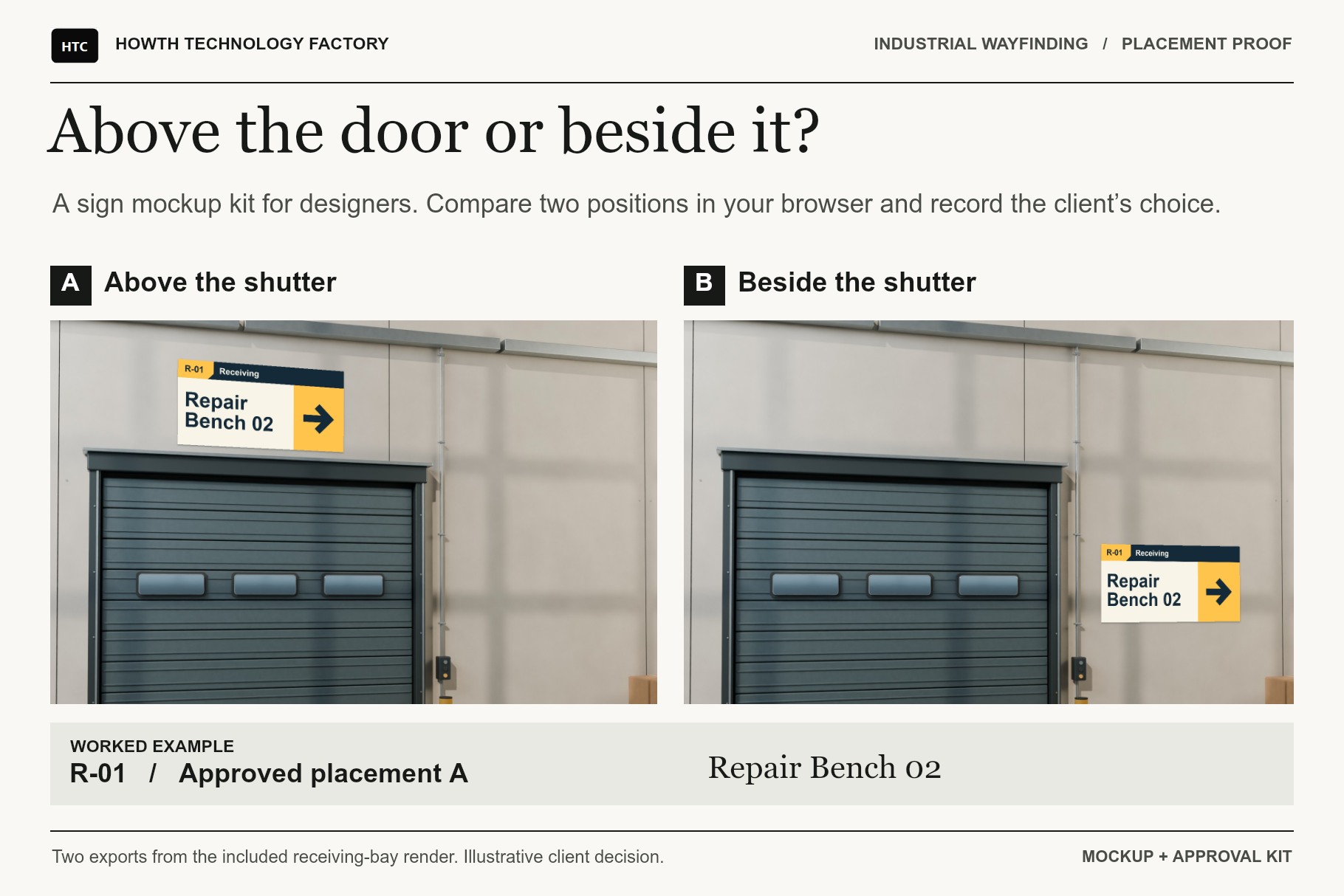
Try both locations
Use one of the three original industrial settings or start with your own photograph. Place the sign on the wall, adjust its four corners and export a clean PNG of each option.
Record what the client chose
Keep both views under the same sign ID. Record the selected position, wording, decision owner and date. Print a three-page review PDF or save an editable copy with the images attached.
Inside the kit
- Three layered PSD mockups and three editable SVG signs for the receiving bay, repair bench and service aisle.
- Three original site renders and two offline browser tools for placement and approval.
- A quick-start guide and a worked receiving-bay example with both placement images, an editable review and the client PDF.
Use it with your site plan
The kit works with an ordinary JPG or PNG. If you use the Industrial Operations Site Planner for Blender, export a still of your layout and use it as the background for the sign review.
One-time licence prices submitted
US$9 Personal, US$14 Commercial and US$36 Extended Commercial.
Compatibility
The browser workflow was tested in Chrome and Edge on Windows. Independent PSD readers verified the embedded sign and background objects. Native Photoshop editing remains untested. Check mounting dimensions and installation requirements on site.