1. Choose a journey
Inspect selected screens or the current page. Use prototype connections or a clearly labelled screen sequence.
In development. Not submitted to Figma yet. Explore the demo now. Installation and purchase links will be added after submission and approval.

User Flow & Handover Toolkit | HTF
Turn prototype connections into an editable handover board with numbered screen previews, source links, checks and exportable documentation.
Planned Pro price: $5 USD once. No subscription. Not available to buy yet.
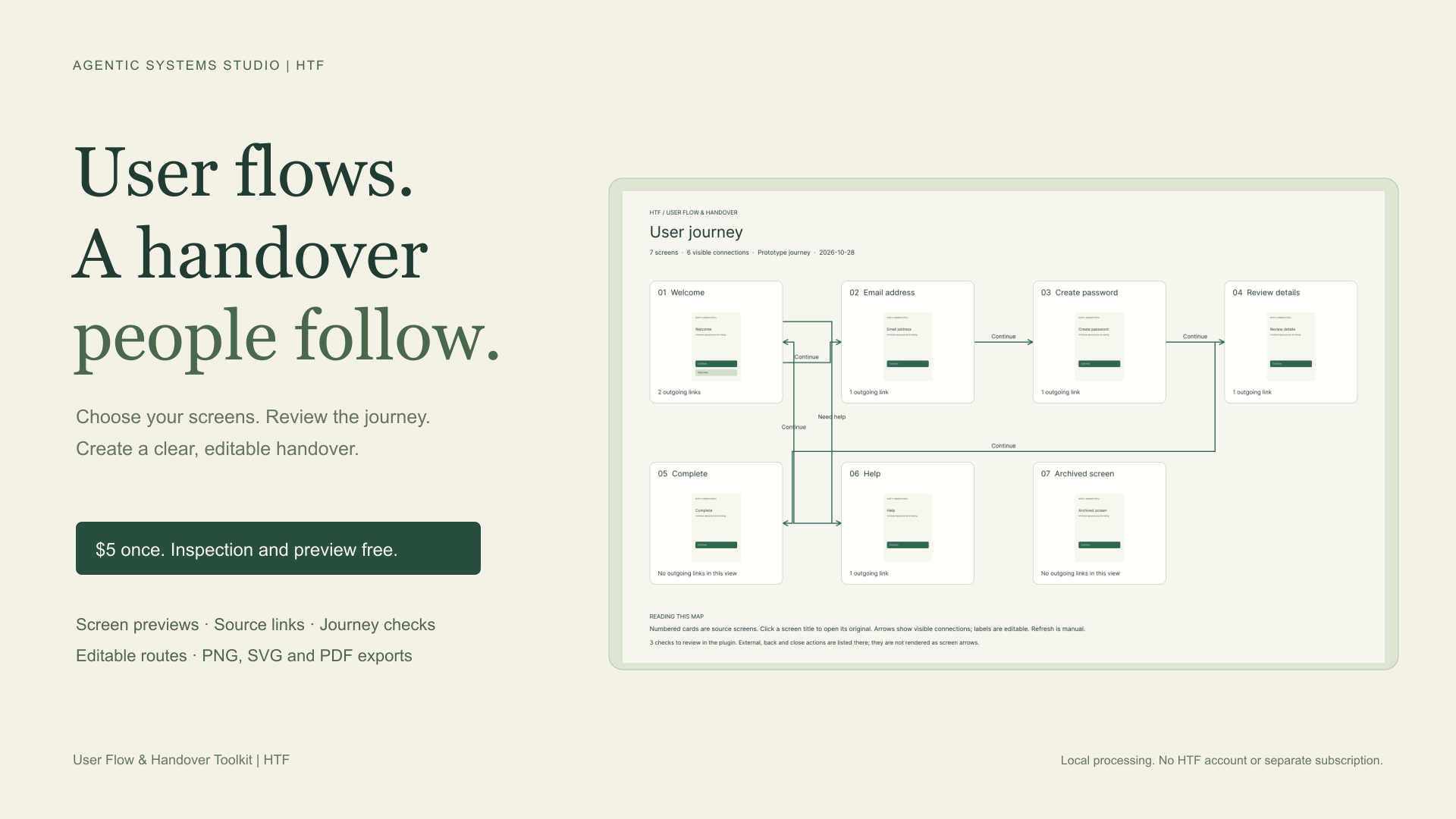
Explore journey selection and map layout with fictional screens. Source thumbnails and saved-board refresh run inside Figma.
Inspect selected screens or the current page. Use prototype connections or a clearly labelled screen sequence.
Choose a start screen, hide unwanted branches, label connections and check disconnected screens or possible endings.
Create a separate board with thumbnails and source links. Export PNG, SVG or PDF, or refresh an existing board while preserving manual edits.
Free: Inspect, customise and preview journeys. Reopen existing boards and refresh previews. Planned Pro, $5 once: Create new handover boards and export PNG, SVG or PDF.
Plugin processing stays local. No HTF account or external API key. Figma will handle installation and checkout when the product is approved.
Connections are static editable vectors. Moving cards does not automatically reconnect paths. Adjust them manually or create a revised board. Conditional links show possibilities, not evaluated runtime behaviour. Up to 80 screens, 240 links and 20,000 inspected layers.
The existing preview stays in place and the screen remains pending for another attempt. Retry when rendering is available again or the original preview card has been restored. Successful previews stay current, and manual routes, labels, positions and notes are preserved. This source-preview workflow runs in Figma; the browser demo does not simulate rendering failures or saved-board refresh.
The product is built and privately registered for development in Figma. It has not been submitted or approved. The public listing and checkout links will be added here when available. The $5 price is planned and still needs to be configured during submission.
The plugin allows no external network domains. It has no HTF server, analytics SDK or automatic AI service. Figma manages its own document storage and payment services. Review downloads may contain private text, screen images, names and IDs; share them carefully.
The browser demo contains fictional sample data, with changes held in memory until refresh. It never connects to your Figma file or processes payments. This marketing page uses website analytics under our privacy notice.
Email apifymcpfactory@gmail.com with the product name, version and a redacted example. Do not send confidential designs, passwords or payment details.
An independent Howth Technology Factory product. Figma is a trademark of Figma, Inc.