For finance teams using Zoho Books
HTC Receivables Workbench
Developed but not submitted
Review a disputed invoice case, find its next action and export the cases checked for a weekly collections meeting in Zoho Books.
Explore the case review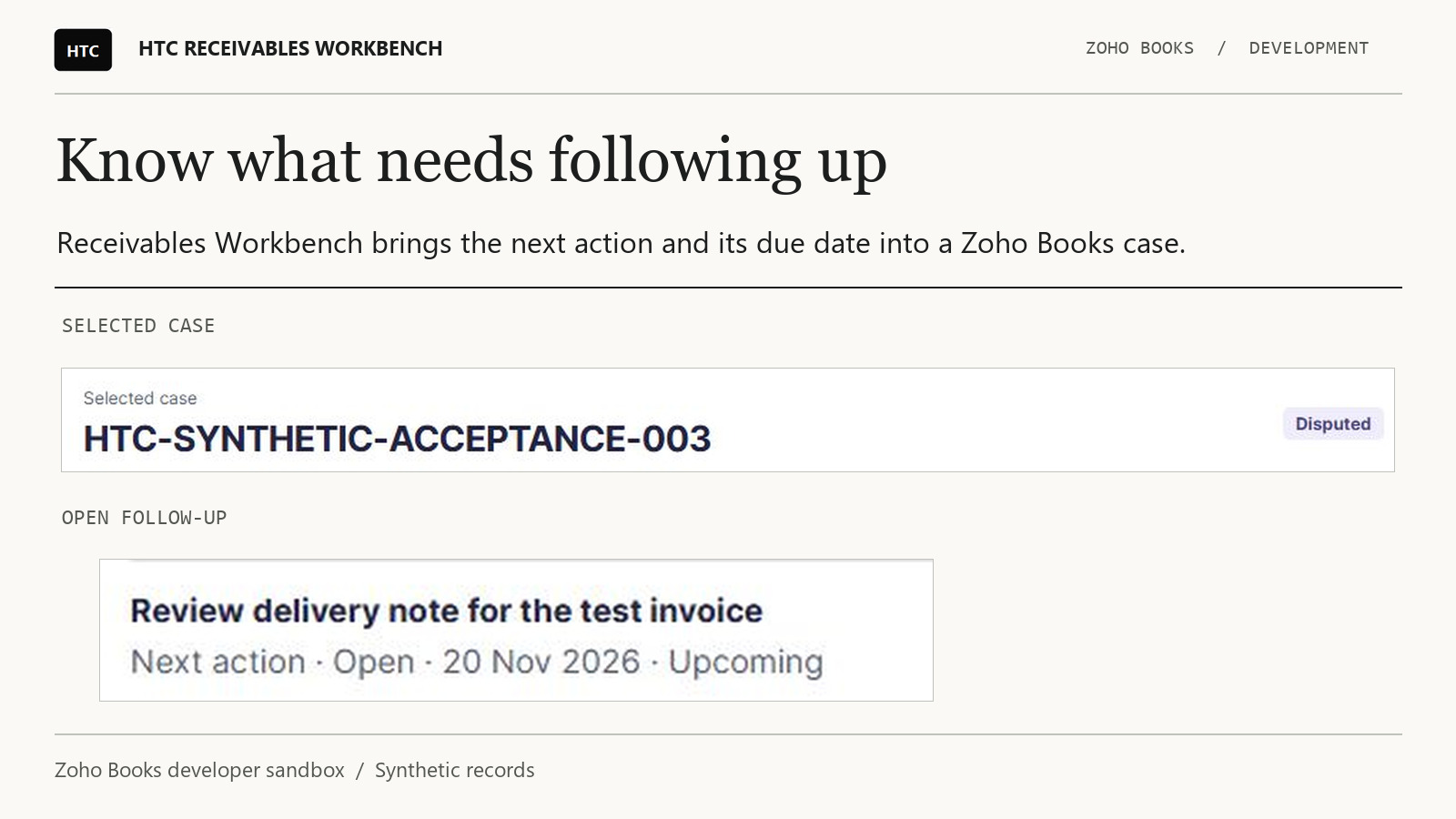
Case review
Know what to follow up and when
The private build brings the case, its linked invoices and the next action into a single review.
- Start with the case. See the customer, assigned owner, dispute reason and saved follow-ups.
- Check the invoice link. An invoice outside the loaded open-invoice records is marked unconfirmed. Its balance stays blank.
- Review what changed. Open the selected case in Books to see the actor and time for saved activity.
- Prepare a weekly handover. Export the cases checked on the current page with their next actions and due dates. The CSV identifies how many cases the review covered.
Before release
Zoho Books private review
In the EU developer sandbox, two test customers each had a €1 unpaid invoice. Each case showed its own customer’s balance. The weekly CSV also identified a €1 payment promise that was two days overdue.
Zoho Books is reviewing version 2.1. Its decision is required before we can submit the public Marketplace listing.
Administrator guide
Version 2.1 uses three custom modules for cases, invoice links and payment promises, and three Web Tabs for the workbench and its guides. Zoho requires an organisation administrator to install an extension on a paid Books plan that supports its components. We tested a private installation with an administrator in an EU Premium Trial organisation. Public installation awaits Marketplace approval. Zoho installation requirements
The Books connection requests invoice reading and custom-module reading, creation and updates. The invoice balance view reads invoices. The connection does not request payment, invoice-edit or delete access. Custom-module permissions can extend beyond the collection case module.
In the private installation, an administrator opened HTC Workbench Setup and HTC Weekly Review Guide inside Books. An assignee field identifies the person responsible for follow-up. It does not establish who can see a case. Confirm staff permissions separately before sharing financial records.
Run a weekly collections review
- Open Invoice balances, choose the review date and select Refresh invoices. Read each customer’s outstanding balance and overdue amount separately.
- Open Collection cases and select a case. Choose Load follow-ups to see its promise and next action. Check the payment record in Books before recording money as received.
- Choose Check invoice links. Open the source invoice in Books if a link is unresolved. A blank subtotal means the workbench could not confirm the amount.
- Choose Download case review CSV for a single case. For the weekly report, check each included case using the same review date. Open Weekly manager review, set Week starting and choose Download weekly CSV. Read the coverage field before sharing the file.
Questions from finance teams
Who is the workbench for?
Finance staff who need to review open invoices, understand a customer dispute and bring the next collection action into a weekly meeting.
Can I buy or install it today?
Version 2.1 is in private Zoho Books review. Public Marketplace installation and purchase are pending.
Where do I check the official balance or payment?
Open the source record in Zoho Books. The workbench displays balances from loaded invoices and provides collection case context.
Does it collect payments or email customers?
The workbench does neither. It helps staff decide what to follow up and records case information in Books.
How do I find a customer’s open balance?
In Invoice balances, select a review date and choose Refresh invoices. Read the row for the customer and currency. A balance can be outstanding even when nothing is overdue.
Which currencies were tested?
The verified examples use EUR. Balances are grouped by currency. There is no currency conversion or combined multi-currency total.
What does the review date control?
It sets the date used to calculate overdue days. An invoice due that day has zero overdue days. Refresh after changing the date.
How do I get fresh invoice figures?
Select Refresh invoices. Searching or filtering the existing view keeps the previously loaded figures.
What does a partial balance mean?
Only part of the relevant data was available. Read the scope warning and check the source invoices before quoting a total.
Does an empty view mean every invoice has been paid?
No. Access limits, excluded statuses or missing data can leave the view empty. Confirm payment directly in Books.
How do I trace a case subtotal back to an invoice?
Choose Check invoice links and review the link status. The case CSV identifies matched invoices and unresolved links separately.
Where can I read a dispute before a call?
Open the collection case and read its saved dispute reason alongside the next action. The verified example covers this review step. An end-to-end dispute resolution workflow remains unverified.
How do I tell a missed promise from an overdue invoice?
The promise has its own amount, due date and recorded outcome. In the sandbox, a €1 promise was two days late while the matched invoices had €0 overdue.
Can I see who owns the next action?
The case includes an assignee and a dated next action. Automatic task routing and staff-level access remain unverified.
Where can I see who approved a case?
Open its native Activity in Books. In the private installation an approved, locked case showed the actor and time for the recorded events.
Does assignment restrict who can see a case?
Assignment alone does not establish access. The private test used an administrator. Staff-role access and separation between organisations still require verification.
What should I do if a save times out?
Open the case in Books and check whether the change was recorded before trying again. A timeout leaves the outcome uncertain.
What goes into the weekly CSV?
The export includes the checked cases, their matched balances and due follow-ups for the selected week. In the verified example it identified two reviewed cases out of four on the loaded page.
How should I handle a request to remove case data?
Ask your Books administrator which records to retain or remove, including earlier downloads. To retain an authorised copy, open HTC Collection Cases → More Actions → Export → Export HTC Collection Cases. The module selector also offers HTC Case Invoice Links and HTC Case Commitments. Select each module and the required period separately. Books offers CSV, XLS and XLSX and limits each export to the first 25,000 rows.
The weekly workbench CSV contains only the reviewed cases. Uninstall behaviour and restoration from a module export still require verification.
Which edition do I need and what will it cost?
For Irish organisations on Zoho Books’ Global edition, Premium is the first plan that includes both Web Tabs and custom modules. Elite and Ultimate also include both. The extension’s own price is pending. Testing so far covers a private Premium Trial installation. Compare Zoho Books plans
Why would a linked invoice be missing from a subtotal?
A draft invoice can retain its link to a case while falling outside the loaded open-invoice set. Check its status in Books. An entirely unmatched case leaves the subtotal blank.
What should I send HTC if a balance looks wrong?
Send the approximate time, currency, status wording and steps you took. Remove customer names, invoice details and credentials from examples. Contact HTC.