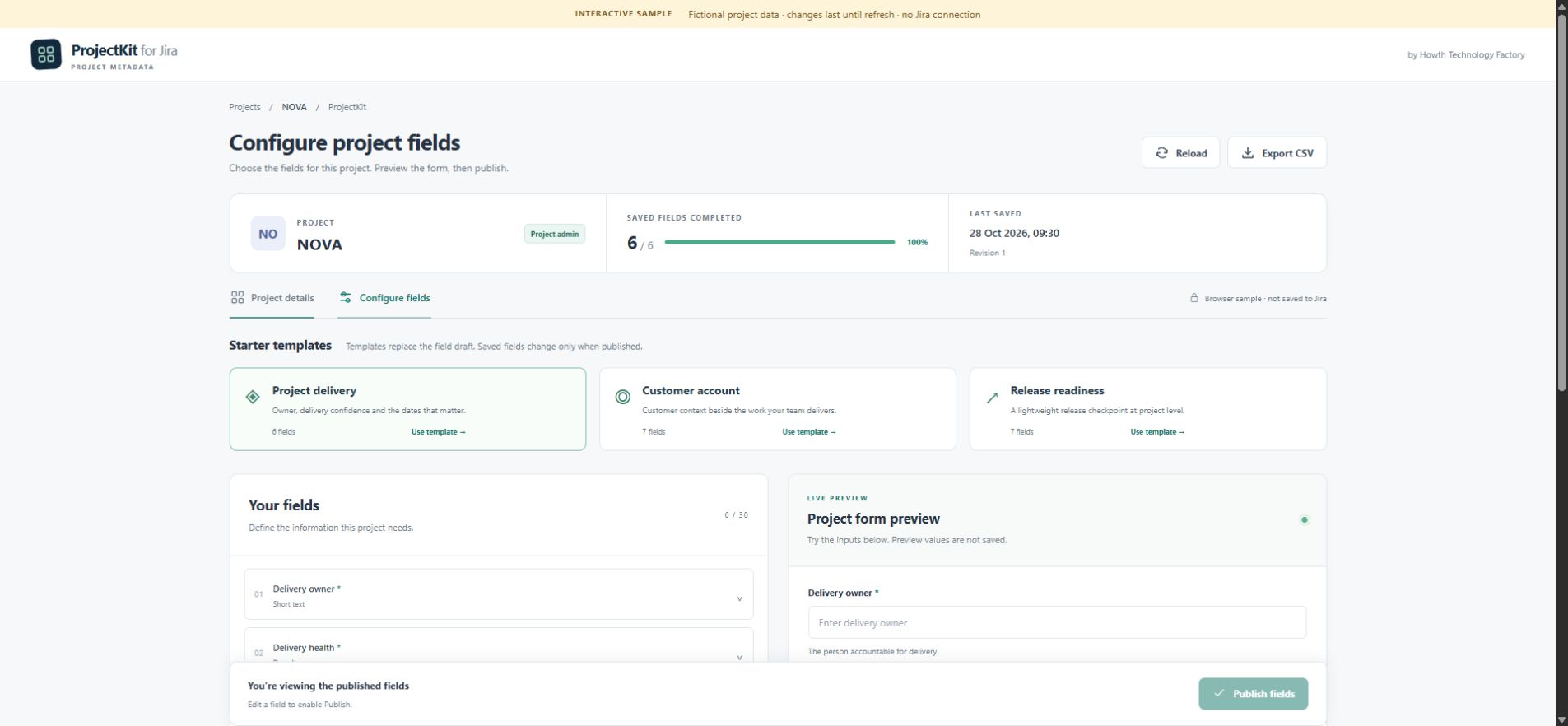
Start with a template
Begin with a delivery, customer account or release layout, then adapt its fields to the project.
Project metadata for Jira Cloud
Keep the owner, target date, budget and next milestone together. Choose a starting template, make the fields yours, and give the team a project brief they can actually find.
In development Browser demo available · Jira installation pending
A project can need its own owner, target date, account reference or release checklist. ProjectKit is being built for this project-level information, without turning each value into an issue field.
Begin with a delivery, customer account or release layout, then adapt its fields to the project.
See the field layout while configuring it, before filling in the project’s values.
Text, long text, number, date, select, checkbox and URL fields provide a consistent structure.
The development app is built for Atlassian Forge hosting and storage. Its records contain the field definitions and entered project values, a revision number and a last-save timestamp. The backend checks Jira project permissions; it does not retrieve issues, attachments or user directories.
The build has no external backend, AI processing or app analytics, and does not log entered values. All project viewers can read its fields, so they must not contain secrets or information restricted to particular people.
Project administrators can clear values or remove fields. CSV export downloads saved values to the user’s device. Previous versions are not retained for recovery. Deployment and Forge’s storage lifecycle still require verification before public release.
Browser demo: the interactive sample uses fictional data held only in the current page’s memory. Changes reset on refresh. It makes no Jira requests and does not save to Jira or Forge storage.
This marketing page uses Google Analytics. The website privacy notice explains website analytics and contact messages separately from the app and browser demo.
No. ProjectKit is for metadata attached to a project. It does not create or replace fields on Jira issues.
ProjectKit is developed by Agentic Systems Studio | HTF. It is not endorsed by or affiliated with Atlassian.
You can try the browser demo now. The platform app has not launched publicly, and no public price or paid plan is available. There is no checkout on this website.
For a ProjectKit question, include your Jira Cloud environment, the field type and the action that failed. Please use sample values and remove confidential project details.
Email apifymcpfactory@gmail.com with “ProjectKit for Jira” in the subject, or use the website contact form.
Never send passwords, API tokens or private customer data. Replies are handled by the Agentic Systems Studio | HTF team; no response-time guarantee is currently offered.
For a privacy or deletion request, name the product and describe the data involved without including the data itself.
Jira and Atlassian are trademarks of Atlassian. ProjectKit is an independent Agentic Systems Studio | HTF product.